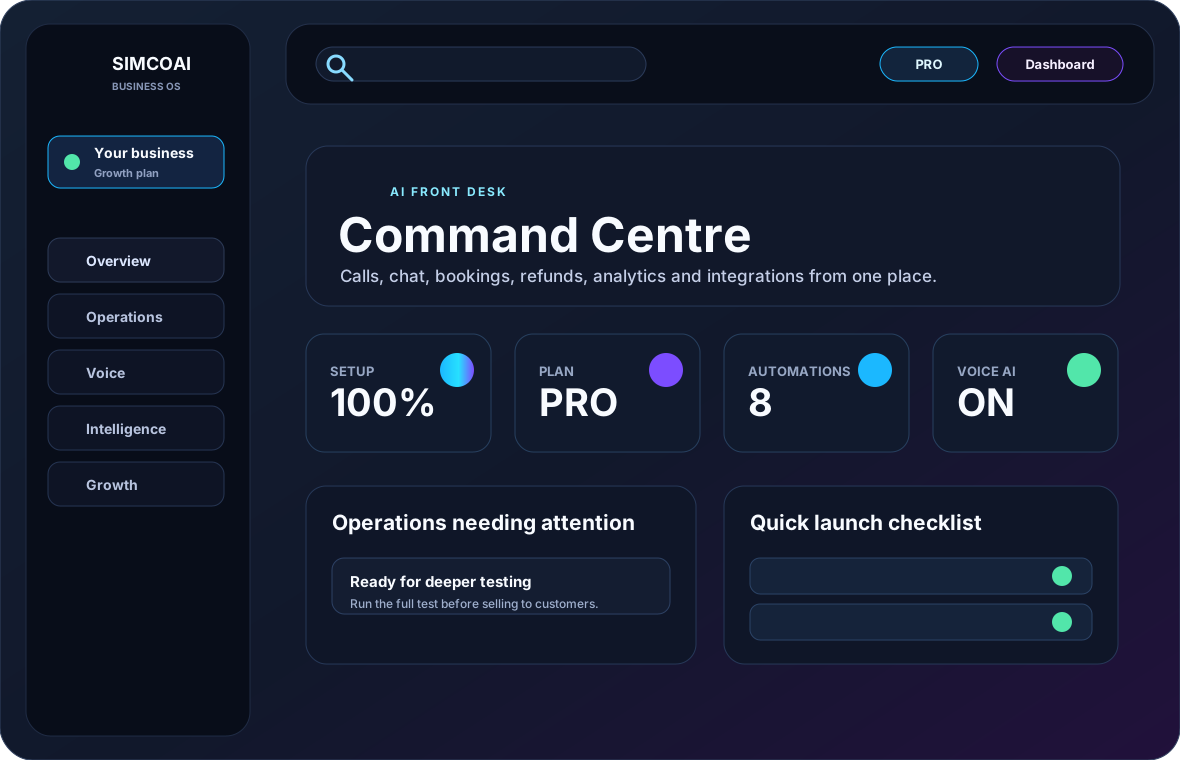
Main areas
The dashboard is grouped by workflow, not by vendor. Use the left navigation and top tabs to move between setup, voice, intelligence, growth, platform and account tools.
Home
Readiness, quick actions, metrics and health checks.
Operations
Orders, refunds, bookings, escalations and customer records.
Voice
Numbers, call studio, call logs, conversations and caller ID rules.
Intelligence
Knowledge base, AI testing, memory and automation policies.
Account
Billing, add-ons, users, security and legal acceptance.
What to check each day
Start with the attention panel, then review any conversations that were escalated or could not be completed automatically.
- Open operations needing attention.
- Review missed or transferred calls.
- Check unresolved chat conversations.
- Confirm booking/refund/order captures are assigned.
- Watch plan limits and add-on usage.
Customise your workspace
Open Customise to set the theme, density, motion, start page and the widgets that appear first. These preferences are saved on your browser and apply instantly.
Manage account and security
Use the Account & Company and Security pages to manage your business profile, plan and billing, sign‑in methods (password, passkeys, Google, email link & code), two‑factor authentication and remember‑me.
Keep the dashboard fast
Use search to jump directly to modules and avoid leaving many heavy admin tabs open at once. SIMCOAI now uses lean static assets, cache-busted styles and reduced decorative motion for faster page loads.
Use Ctrl K or the search bar for modules.
Close old tabs after billing or setup changes.
Refresh after plan upgrades so entitlements reload.